Using the data the CELLS Workflow MES collects you can review production status and create reports. Check production status and generate reports via the Unisoft CELLS Workflow MES or by making queries directly against the database where the real time data is stored.
The Unisoft CELLS Workflow MES collects the data from the shop floor, etc, and then stores it in an ODBC compliant database of your choice (Access, SQL, Oracle, etc). Via the CELLS Workflow MES you can then check production status and generate several standard reports. Also you can run queries against the database directly. You run the query against the database to check production (WIP) status and get more varied reports via your internal network or the internet, etc., for example generate a query to show all the units produced from the past 6 months that have a particular defect code and where produced in plant #2 on production line #3 or a customer logs in and a query runs automatically that checks production WIP status for their item(s). Querying a database directly is straightforward and your IT department or Unisoft can help you with this.
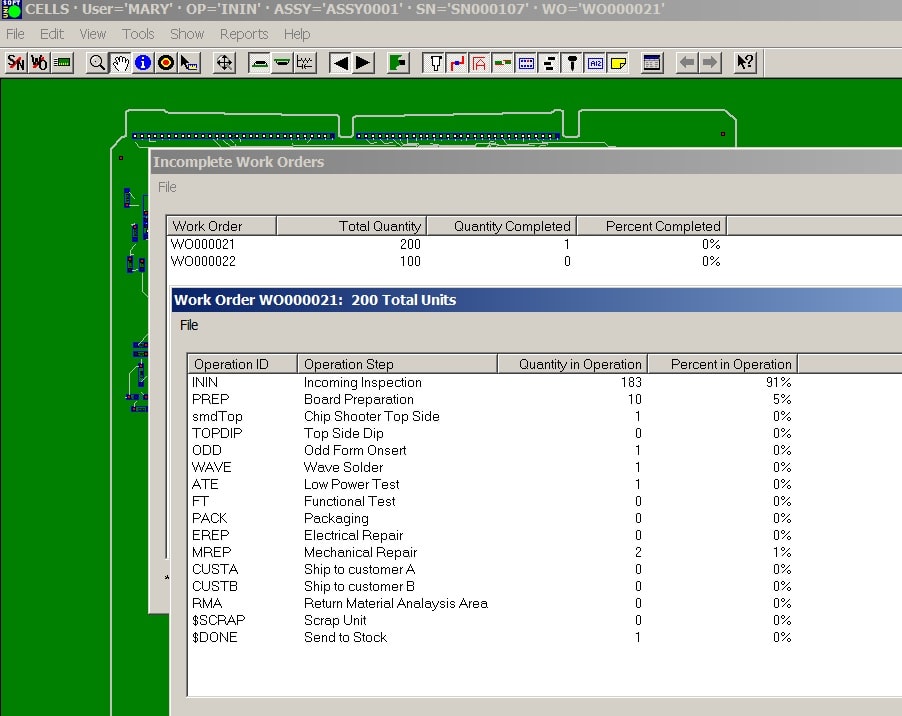
CELLS WORKFLOW provides several standard reports. For example the simple quick report below is available from the Report menu and displays a Work Order Summary with one line per work order. It is viewable by current unfinished WIP, date range, etc.
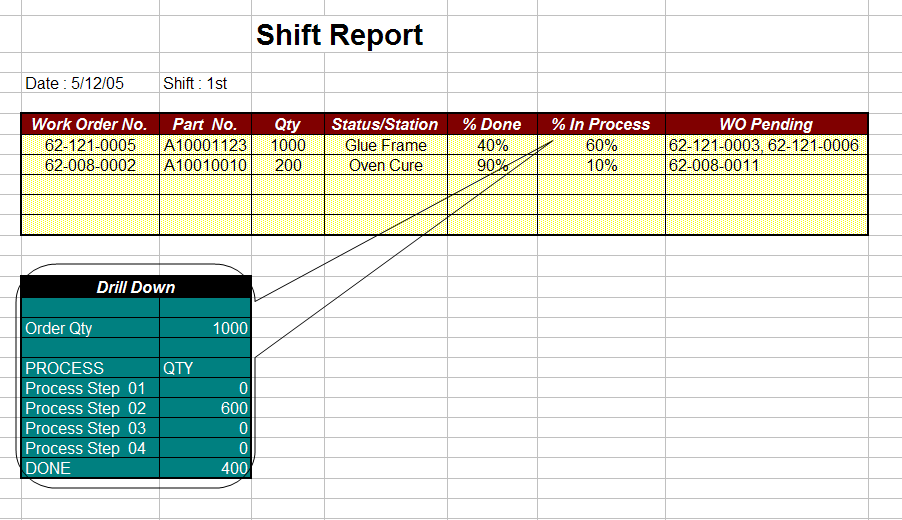
In the example below for work order WO000021 at the top level we see that 1 of the 200 units are complete. Then by double clicking on that work order line a second drill-down report is displayed showing detailed status for each operation step in the work order routing and the units that are at each step of the route. We now see that 183 (91%) of the units are at Incoming Inspection and 10 (5%) are at Board Preparation, etc.
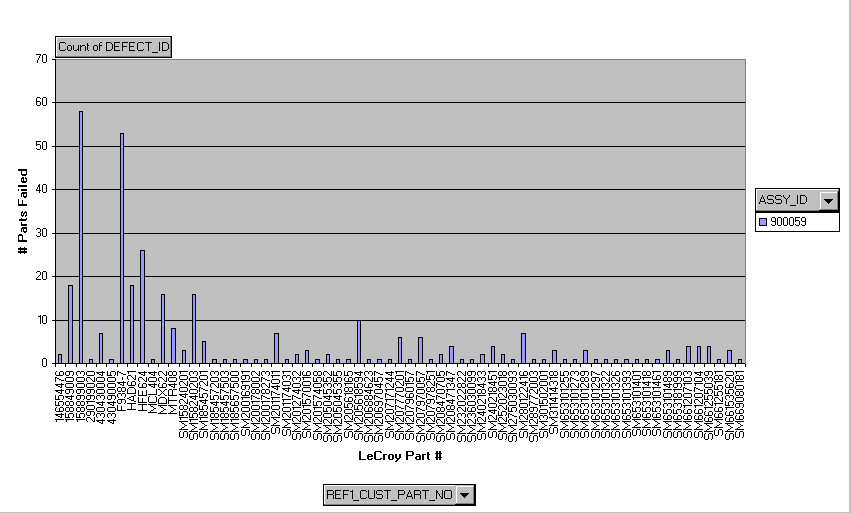
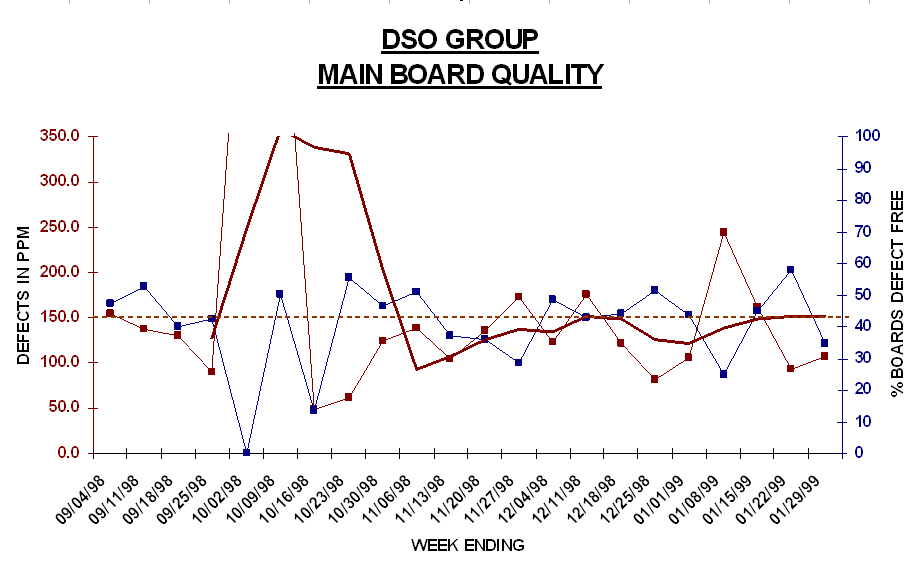
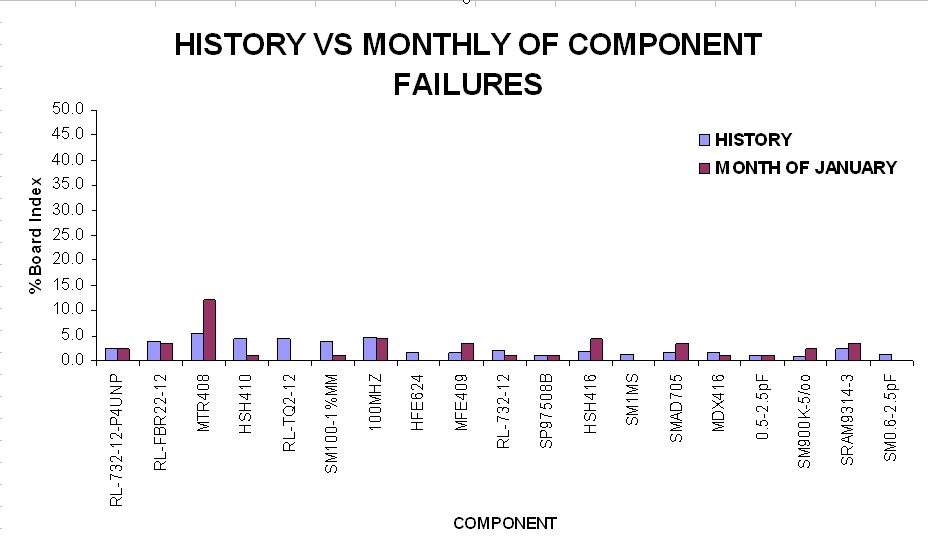
FAILURES PER PART NUMBER AND PRODUCTS EXAMPLE
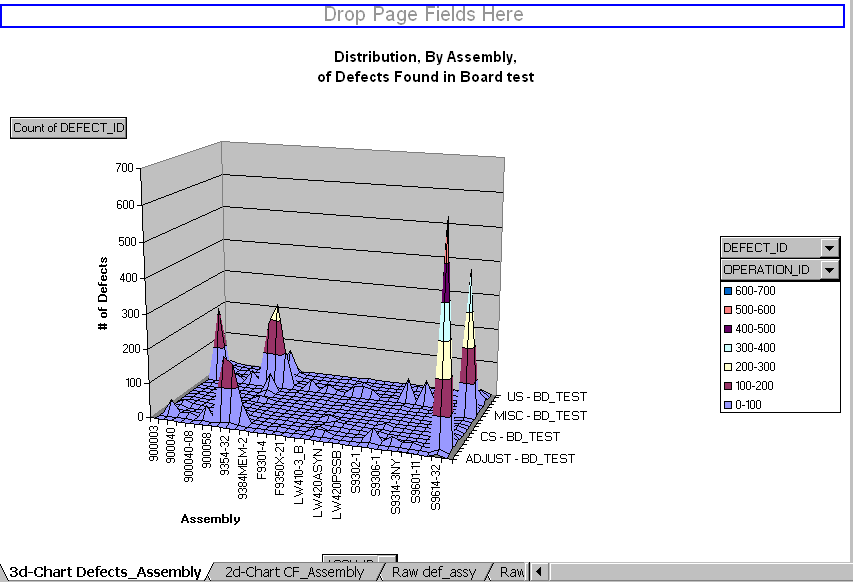
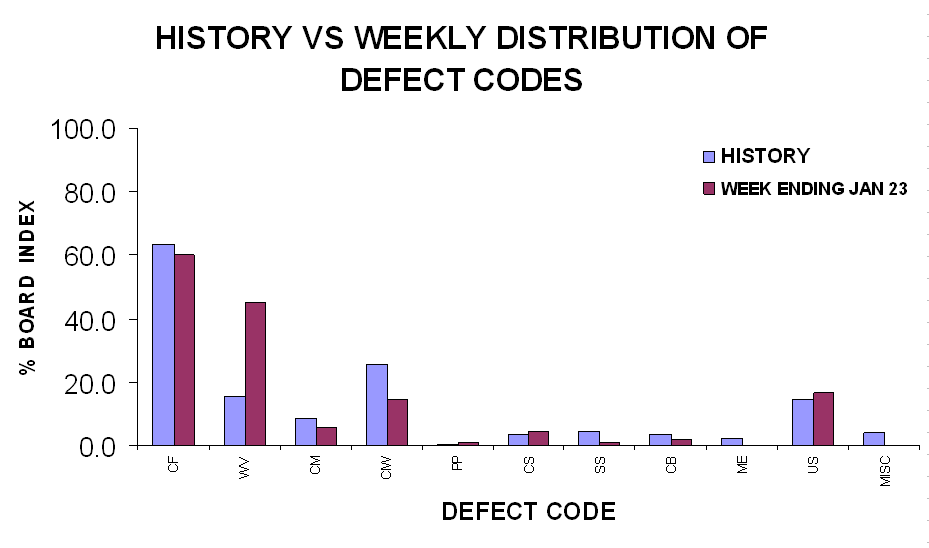
DISTRIBUTION EXAMPLE
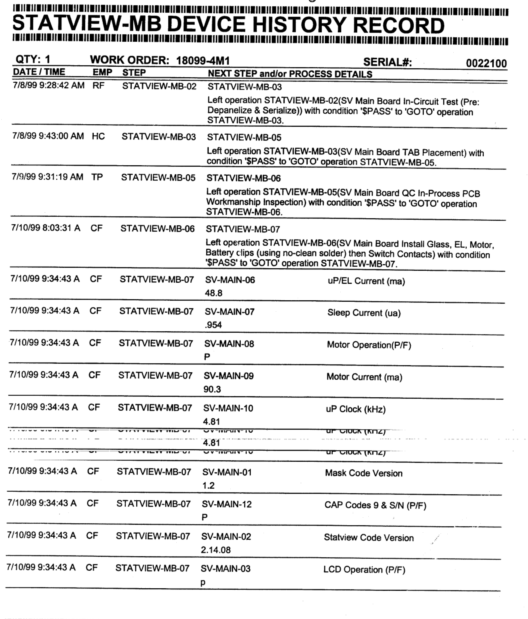
DETAILED UNIT REPORT EXAMPLE
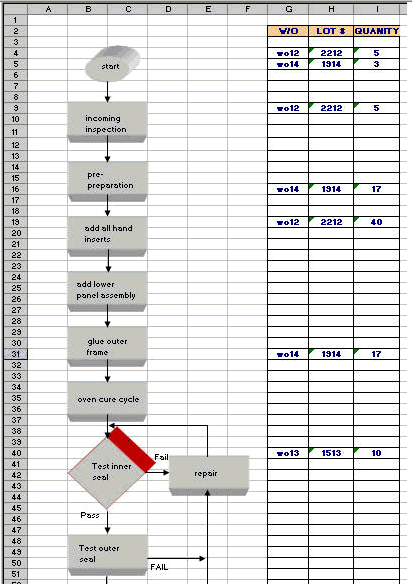
SIMPLE PROCESS FLOW WITH WORK ORDER QUANTITIES EXAMPLE