The FLIP BOARD feature lets you flip the PCB assembly ( PCBA ) on the display Horizontally or Vertically.
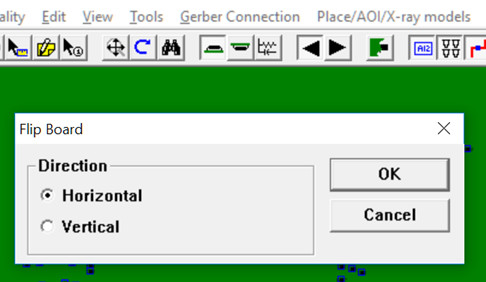
The 0,0 X and Y origin on the PCB assembly ( PCBA ) display does not change when flipping the PCB assembly ( PCBA ) either horizontally or vertically.
Flipping Horizontally changes only the X coordinates.
Flipping Vertically changes only the Y coordinates.
HORIZONTAL FLIP: For example when flipping horizontally the topside of the PCB assembly ( PCBA ) will end up on the bottom and the X and Y origin will remain the same and the Y coordinates will also remain the same. However all positive X coordinates will go negative by the same number (example: U14 pin 3 X=+4.100 will become X=-4.100) and any negative X coordinates will go positive. The bottom components will end up on the top with the same changes that occurred with the pre-flip topside X and Y coordinates.
Note: A horizontal flip is meant to change the X horizontal coordinates and to do that the physical PCB assembly ( PCBA ) is flipped over on its vertical axis.
VERTICAL FLIP: For example when flipping vertically the topside of the PCB assembly ( PCBA ) will end up on the bottom and the X and Y origin will remain the same and the X coordinates will also remain the same. However all positive Y coordinates will go negative by the same number (example: C3 pin 2 Y=+1.600 will become Y=-1.600) and any negative Y coordinates will go positive. The bottom components will end up on the top with the same changes that occurred with the pre-flip topside X and Y coordinates.
Note: A vertical flip is meant to change the Y vertical coordinates and to do that the physical PCB assembly ( PCBA ) is flipped over on its horizontal axis.
For further details on features and operations contact Unisoft directly.